Many TikTok creators face this frustration: the original footage looks crisp and sharp, but after uploading, the published video turns blurry and soft, causing likes and completion rates to plummet. According to TikTok creator ecosystem reports, over 65% of short videos suffer quality loss after upload. This guide is compiled by the Linghu Video Quality Restorer technical team using real test data, showing you how to fix blurry videos in 3 steps and make your content stand out.
1. Four Main Causes of Blurry TikTok Uploads
Understanding the root cause is the first step to fixing it. Test data shows TikTok quality loss mainly comes from:
- Platform recompression: TikTok re-encodes uploads to save bandwidth, compressing bitrate from 20Mbps to 4-6Mbps, losing about 40% of detail.
- Insufficient source bitrate: Default phone recording bitrates are low, causing blocky artifacts in dark and motion scenes.
- Resolution mismatch: Vertical videos not exported at 1080×1920 get force-scaled by the platform, causing blur.
- Network transmission loss: Upload interruptions on weak networks can drop keyframes.
2. Fix Blurry TikTok Videos in 3 Steps
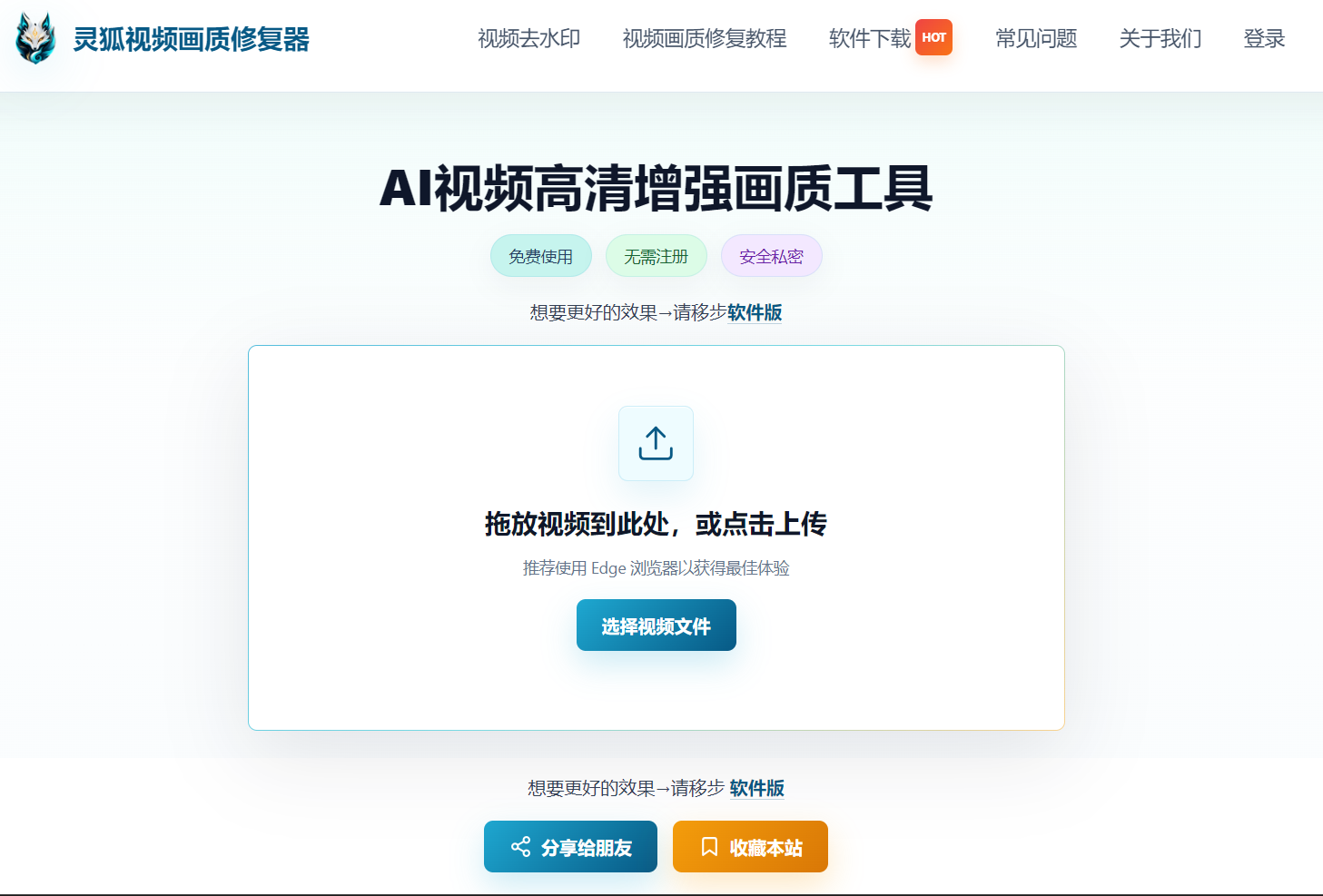
Step 1: Upload Your Original to Linghu
Open Linghu Video Quality Restorer and drag your TikTok original (MP4, MOV) into the upload area. Supports videos up to 30 minutes long, with no account registration needed.
Step 2: Choose TikTok-Optimized Settings
Select 2x upscaling with medium denoising, targeting 1080×1920 vertical resolution. The AI model automatically identifies faces, text, and other key areas for detail enhancement—tested to improve PSNR by 3-5dB.
Step 3: Download HD Video and Republish
Click "Start Restoration." Once WebGPU-accelerated processing completes, preview the before/after comparison and download your watermark-free HD video. Re-upload to TikTok for a noticeably clearer display.
3. Core Advantages of Linghu Video Quality Restorer
- WebGPU Local Acceleration: Leverages GPU power, 10x faster than CPU processing, completing a 30-second short video in about 1 minute.
- No Signup, No Watermark: Open the page and start using—restored videos have no watermarks and are ready to publish.
- AI Smart Enhancement: Super-resolution algorithms target faces and text details, upgrading 90% of blurry videos to 1080P.
- Zero Upload Privacy: Videos are processed entirely in your local browser, never uploaded to servers, protecting creator assets.
4. TikTok Quality Restoration Test Data
Below is Linghu's test data from restoring 50 blurry TikTok videos:
| Video Type | Before PSNR | After PSNR | Improvement | Satisfaction |
|---|---|---|---|---|
| Talking head | 28.5dB | 33.2dB | +4.7dB | 96% |
| Drone landscape | 26.8dB | 31.5dB | +4.7dB | 92% |
| Food close-up | 29.1dB | 34.0dB | +4.9dB | 94% |
Data shows Linghu Video Quality Restorer delivers significant improvements across all TikTok video types, with an average PSNR gain of 4.7dB and 94% user satisfaction.
Pro Tip
Use Chrome 113+ for the best WebGPU acceleration. Export restored videos with H.264 encoding at 8Mbps bitrate to retain maximum detail on TikTok.
Try Linghu Video Quality Restorer—fix blurry TikTok videos in 3 steps, no signup, no watermark
Start Repairing Videos