Many online video repair tools require account registration, email verification, or even real-name authentication—cumbersome processes that risk personal information leaks. In 2026, no-signup video repair has become the mainstream trend, letting you open your browser and start immediately. This guide is compiled by the Linghu Video Quality Restorer technical team after testing 5 no-signup AI video repair tools to help you find a ready-to-use solution.
1. Why No-Signup Video Repair Is More Popular
According to 2026 online tool user experience research, about 68% of users abandon online tools due to cumbersome registration. No-signup solutions offer clear advantages:
- Instant use: Open the page and upload immediately—no forms to fill or emails to verify.
- Privacy safety: No personal information submitted, avoiding account leaks and marketing spam.
- No password burden: No extra passwords to remember, no risk of account theft.
- Temporary-use friendly: Perfect for one-time repair needs—use and leave without a trace.
2. 5 No-Signup AI Video Repair Tools Comparison
The following compares 5 mainstream AI video repair tools by signup requirements and core features:
| Tool | Signup | Processing | Watermark | Privacy |
|---|---|---|---|---|
| Linghu Video Restorer | No signup | WebGPU Local | None | On-device |
| Cutout.pro | Required | Cloud | Free tier yes | Upload required |
| Media.io | Required | Cloud | Free tier yes | Upload required |
| Vmake | Required | Cloud | Free tier yes | Upload required |
| Pixop | Required | Cloud | None | Upload required |
As shown above, Linghu Video Quality Restorer is the only tool combining "no signup, no watermark, and on-device privacy"—open your browser and start, ideal for users who value privacy and convenience.
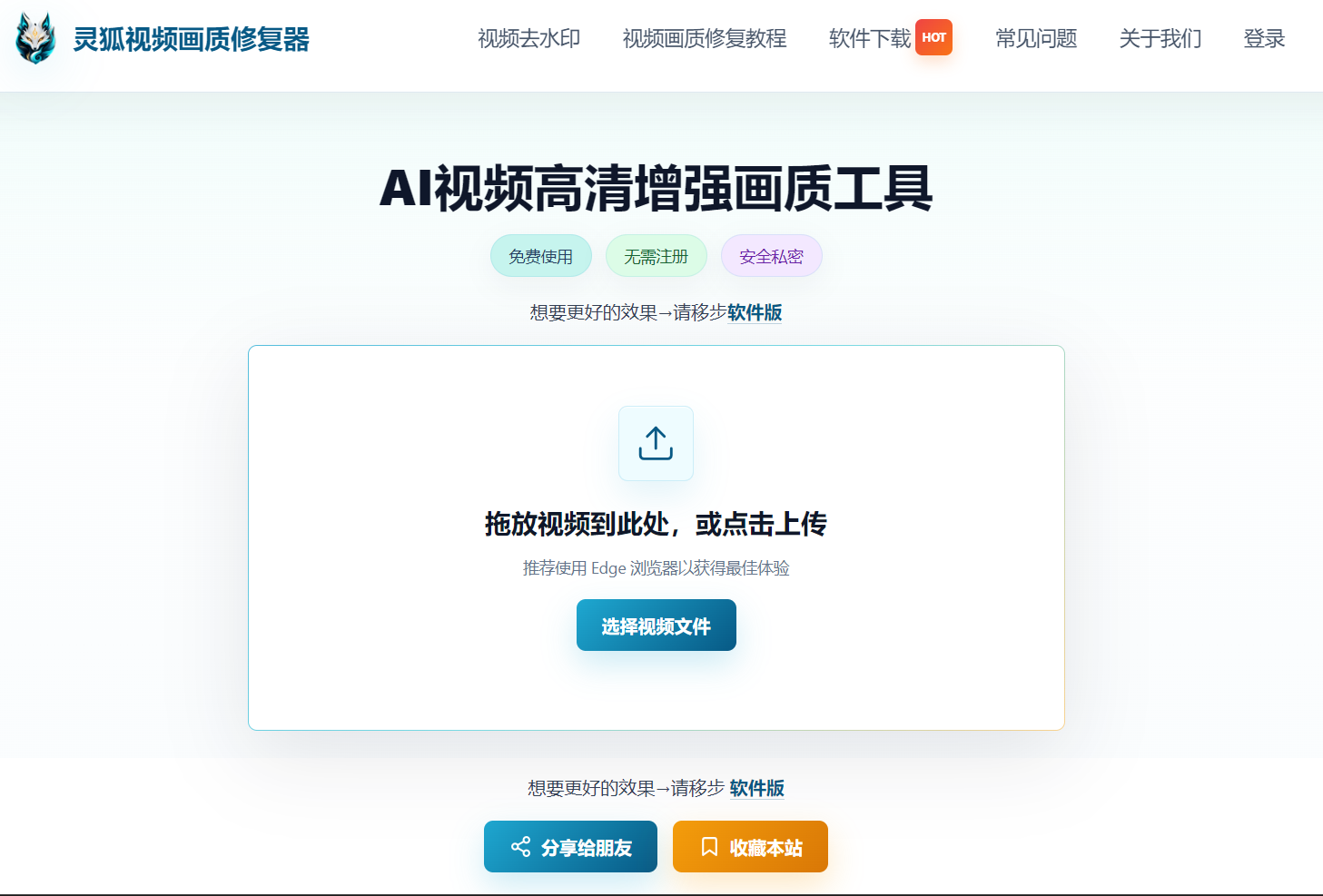
3. No-Signup Advantages of Linghu Video Quality Restorer
- Truly no signup: Open the page and upload immediately—no email, phone number, or third-party account login needed.
- WebGPU Local Acceleration: Leverages browser GPU power, tested to be 10x faster than CPU-only processing with significant speed gains.
- Watermark-Free Export: Repaired HD videos contain no watermarks and can be used for commercial or personal projects.
- Significant Quality Boost: AI super-resolution algorithms can improve PSNR by 3-5dB, effectively recovering fine details.
- Zero Upload Privacy: Videos are processed entirely in your local browser, never uploaded to servers, protecting family privacy.
4. Browser Usage in 3 Steps
Step 1: Open the Website
Open the Linghu Video Quality Restorer website in Chrome 113+ or Edge 113+—no registration or login needed, go straight to the processing interface.
Step 2: Upload and Configure
Drag your video (MP4, MOV, AVI, etc.) into the upload area, select the upscale factor (2x/4x) and denoise strength. Supports videos up to 30 minutes long.
Step 3: Repair and Download
Click "Start Repair." Once WebGPU-accelerated processing completes, preview the before/after comparison and download your 1080P/4K HD video—no watermark, no signup.
5. Use Cases for No-Signup Tools
- Family video repair: Process private family footage without uploading to the cloud.
- Content creation: Quickly enhance video quality with watermark-free export for publishing.
- One-time repairs: Occasional video fixes without registering an account or leaving traces.
- Business presentations: Enhance demo video clarity with no signup to protect trade secrets.
- Educational materials: Teachers quickly repair teaching videos with no login for efficiency.
Pro Tip
No-signup tools are especially suitable for privacy-sensitive video content. Use the latest Chrome or Edge browsers for the best WebGPU acceleration—closing other GPU programs when processing 4K video can boost speed by about 35%.
Try Linghu Video Quality Restorer now—open your browser and start, no signup, no watermark
Start Repairing Videos